async/await pitfalls in C#
async and await make asynchronous C# as readable as synchronous code. That’s also where the trouble starts: the code looks synchronous but doesn’t behave that way. It compiles, passes tests, and then under production load it deadlocks, silently swallows an error or starves the thread pool.
These are the mistakes I’ve seen most often in code reviews over the years. Each one comes with the problem, the symptom and the fix.
Calling async code synchronously
// Don't
var user = _repository.GetUserAsync(id).Result;
_service.SaveAsync(order).Wait();
.Result and .Wait() block the calling thread until the operation completes.
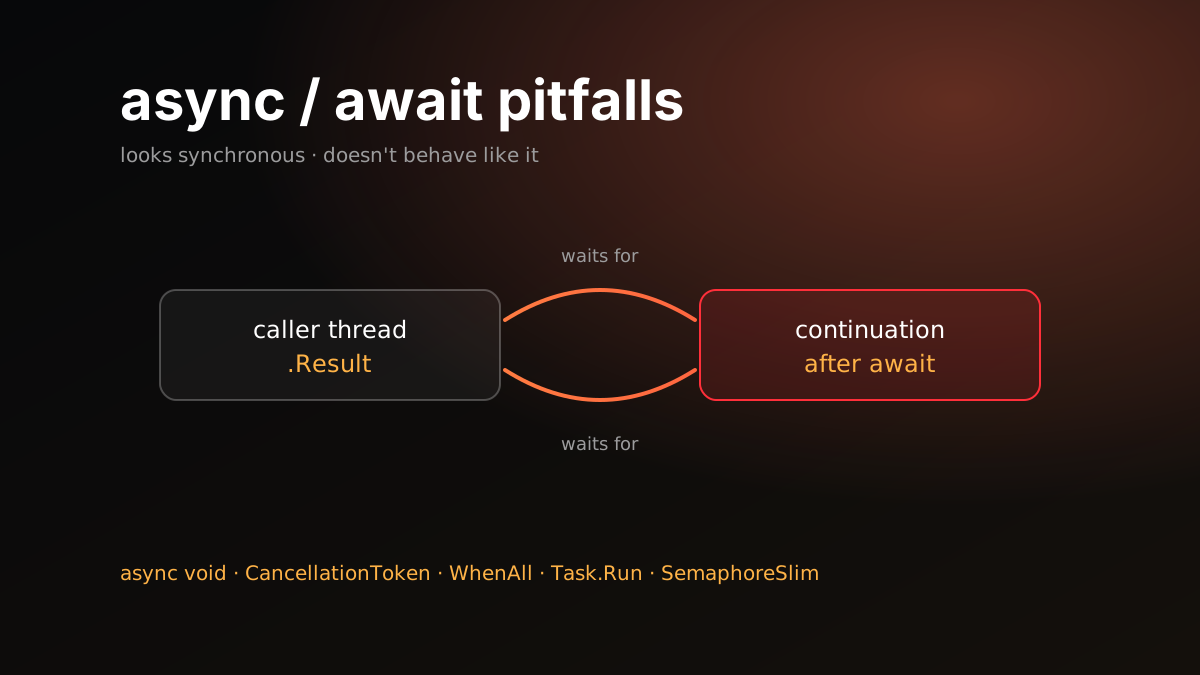
In environments with a SynchronizationContext, such as classic ASP.NET, WinForms and WPF, this is a straight deadlock. The continuation after await wants to get back onto the captured context, meaning the UI thread or the request context. That context is blocked, waiting on .Result. Each is waiting for the other.
ASP.NET Core has no SynchronizationContext, so this deadlock doesn’t happen. The problem doesn’t go away, though. Every thread blocked while waiting is one thread fewer in the pool. Under load the pool adds threads slowly and requests queue up. This is thread pool starvation: the CPU looks idle while response times climb into seconds.
Fix: Go async all the way. If a method calls something async, make it async too, all the way up to the controller.
var user = await _repository.GetUserAsync(id);
await _service.SaveAsync(order);
If something truly must stay synchronous, say an old interface, GetAwaiter().GetResult() at least throws the exception without wrapping it in an AggregateException. It still blocks, and the deadlock risk is exactly the same. Treat it as a temporary exception, not a fix.
When ConfigureAwait(false) matters
ConfigureAwait(false) tells the continuation not to return to the captured SynchronizationContext. Where to use it is widely misunderstood.
- In library code, use it on every
await. You don’t know who will call your package, or from where. It might be a WPF app or classic ASP.NET. - In ASP.NET Core application code it changes nothing, because there’s no context to return to. You can leave it out.
- It doesn’t cure the
.Resultdeadlock. To help, it has to be on everyawaitin the chain, including inside the libraries you call. Missing one is enough. And if the awaitedTaskhas already completed, it has no effect, so the rest of the method still runs on the original context.
Fix: Use ConfigureAwait(false) in libraries; CA2007 points out the missing ones. Don’t patch a deadlock with ConfigureAwait; remove the blocking call.
async void
// Don't
public async void SendWelcomeEmail(User user)
{
    await _mailer.SendAsync(user.Email);
}
The caller of an async void method can’t await it and can’t catch its errors. An exception thrown inside never reaches the caller’s try/catch. It’s rethrown on the SynchronizationContext the method started on, or on the thread pool if there is none. In most environments, ASP.NET Core included, that takes the process down.
Fix: Always return Task. The only legitimate use of async void is UI event handlers, because their signatures are fixed. Even there, wrap the body in try/catch.
There’s a sneakier form: passing an async lambda where an Action is expected.
// This lambda becomes async void
users.ForEach(async u => await _mailer.SendAsync(u.Email));
List<T>.ForEach takes an Action<T>. The lambda can’t return a Task, so it becomes async void. ForEach returns without waiting for the emails, and they all go out at once in the background. If one fails, the caller can’t catch it and the process crashes. Use a plain foreach loop.
A Task that nobody awaits
public async Task<IActionResult> Register(RegisterRequest request)
{
    var user = await _users.CreateAsync(request);
    _audit.LogAsync(user.Id); // no await
    return Ok();
}
This fire-and-forget call causes two problems. First, if LogAsync fails, nobody sees it. Second, and worse: when the request ends, scoped services are disposed. If LogAsync uses a DbContext, it gets an ObjectDisposedException before it finishes. Because it depends on timing, the failure only shows up under load, and looks random.
Fix: Either await it, or really move the work to the background, with a queue and a BackgroundService that processes it. The background work should open its own scope with IServiceScopeFactory.
The compiler helps here: it emits warning CS4014 for an un-awaited Task in an async method. Turning it into an error is cheap insurance. Append to the existing list so you don’t overwrite it:
<PropertyGroup>
  <WarningsAsErrors>$(WarningsAsErrors);CS4014</WarningsAsErrors>
</PropertyGroup>
CS4014 only fires inside async methods. There’s no warning for an un-awaited Task in a synchronous method; VSTHRD110 covers that gap.
Dropping the CancellationToken
The user closed the page or the client timed out. The request is cancelled, but the server is still running a heavy database query.
[HttpGet]
public async Task<IActionResult> Search(string q, CancellationToken ct)
{
    var results = await _db.Products
        .Where(p => p.Name.Contains(q))
        .ToListAsync(ct);

    var prices = await _pricing.GetAsync(results, ct);
    return Ok(prices);
}
ASP.NET Core binds a CancellationToken action parameter to HttpContext.RequestAborted, the request’s abort signal, automatically. But the signal only helps if it’s passed all the way down. EF Core, HttpClient and most libraries accept a token.
Fix: Pass the token through every layer. The CA2016 analyzer warns when a method that has a token doesn’t forward it to a call that could take one.
Awaiting in sequence, or starting everything at once
Awaiting three independent calls one after another makes the total time the sum of all three.
var profile = await _profiles.GetAsync(id);
var orders = await _orders.GetAsync(id);
var points = await _loyalty.GetAsync(id);
If they don’t depend on each other, they can start together:
var profileTask = _profiles.GetAsync(id);
var ordersTask = _orders.GetAsync(id);
var pointsTask = _loyalty.GetAsync(id);

await Task.WhenAll(profileTask, ordersTask, pointsTask);

var profile = await profileTask;
There are two traps here.
The same DbContext. If these three services share one scoped DbContext, you get “A second operation was started on this context instance before a previous operation completed”. DbContext isn’t thread-safe and runs one operation at a time. Either await in sequence, or give each parallel operation its own context, for example with IDbContextFactory<TContext>.
Unbounded parallelism. Starting a thousand HTTP requests at once for a thousand-item list overwhelms the other side, or your own connection pool. Limit concurrency:
await Parallel.ForEachAsync(items,
    new ParallelOptions { MaxDegreeOfParallelism = 8, CancellationToken = ct },
    async (item, token) => await _api.SendAsync(item, token));
Task.WhenAll and lost errors
await Task.WhenAll(...) throws only the first exception, even if several tasks failed. The others never show up in the logs.
var all = Task.WhenAll(tasks);
try
{
    await all;
}
catch (Exception) when (all.IsFaulted)
{
    foreach (var ex in all.Exception!.InnerExceptions)
        _logger.LogError(ex, "Task failed");
    throw;
}
Fix: If every failure matters, look at Exception.InnerExceptions on the task that WhenAll returns. Keep the when (all.IsFaulted) filter: if the tasks were only cancelled and none faulted, all.Exception is null and the catch block throws a NullReferenceException.
Task.Run to make it look async
// Don't
public Task<Report> BuildAsync() => Task.Run(() => BuildReport());
In ASP.NET Core this gains nothing. The request already runs on a thread pool thread. Moving the work to another pool thread only adds a hop. On top of that, the caller now assumes the method is waiting on I/O.
Fix: If a method is synchronous, keep it synchronous. Task.Run makes sense in UI apps, to move CPU-heavy work off the UI thread.
Eliding await
Returning a Task directly without awaiting it saves a small state machine. Inside using and try blocks, though, it changes behavior:
// Wrong: client is disposed before the request completes
public Task<string> FetchAsync(string url)
{
    using var client = _factory.CreateClient();
    return client.GetStringAsync(url);
}
As soon as the method returns the Task, the using block ends and the HttpClient is disposed while the request is still running. Disposing an HttpClient cancels its pending requests, so the caller gets a TaskCanceledException every time. (You don’t need to dispose a client from IHttpClientFactory at all. The bug here is using without await.) In the same way, an error from a task that isn’t awaited inside try/catch never reaches that catch.
Fix: Only elide await in one-line pass-through methods with no using or try. Everywhere else, use async and await. The performance gain is negligible next to the cost of this bug.
Creating tasks with LINQ
var tasks = ids.Select(id => _userApi.GetAsync(id));
await Task.WhenAll(tasks);
var first = await tasks.First(); // the query runs again
Select is lazy. tasks isn’t a list, it’s a query that runs again every time it’s enumerated. The code above calls GetAsync one extra time.
Fix: Materialize right away with ToList() or ToArray(). If you need the results, use what WhenAll returns:
var users = await Task.WhenAll(ids.Select(id => _userApi.GetAsync(id)));All of these calls start at once. The two traps above still apply: they shouldn’t share a DbContext, and if the list is large, bound the parallelism.
await inside lock
You can’t await inside a lock block; the compiler rejects it with CS1996. The reason: the Monitor behind lock is tied to the thread that acquired it, and that same thread has to release it. After an await, the continuation may run on a different thread.
Fix: Use SemaphoreSlim. Unlike lock, it isn’t reentrant: if the same flow asks for it twice, it waits on itself.
private readonly SemaphoreSlim _gate = new(1, 1);

public async Task RefreshAsync(CancellationToken ct)
{
    await _gate.WaitAsync(ct);
    try
    {
        await ReloadCacheAsync(ct);
    }
    finally
    {
        _gate.Release();
    }
}
Tooling
Most of these are hard to catch in review, but analyzers catch them at build time:
- CS4014: An un-awaited
Taskin an async method. Make it an error. - CA2016: A
CancellationTokenthat isn’t forwarded. - CA1849: Calling the synchronous version of a method that has an async counterpart, inside an async method. Off by default, so you have to enable it.
- CA2007: A missing
ConfigureAwaitin library code. - Microsoft.VisualStudio.Threading.Analyzers: Extra rules starting with
VSTHRD. For example VSTHRD100 forasync void, VSTHRD101 for an async lambda passed where anActionis expected, VSTHRD002 for.Resultand.Wait(), and VSTHRD110 for an unobservedTaskin a synchronous method.
Raising these to error level in .editorconfig keeps everyone on the team on the same rules.
Short checklist
- No
.Resultor.Wait(). Async all the way. ConfigureAwait(false)in libraries, but not as a deadlock cure.async voidonly in UI event handlers.- Every
Taskis either awaited or deliberately handed to a background queue. CancellationTokenreaches the lowest layer.- Independent calls with
WhenAll, but not on the sameDbContext. - Parallelism is bounded.
- All errors after
WhenAllare logged. - No
Task.Runfor fake async on the server. - No elided
awaitinsideusingortry. - Tasks produced by LINQ are materialized immediately.
SemaphoreSlimfor async locking.- Analyzers on, at error level.