Writing skills for Claude Code
Working with Claude Code, I noticed I kept typing the same sentences. “Show the affected rows first.” “Leave a short note before we close this session.” “Do these steps in this order.” The same explanation every time, in slightly different words, and each time with the risk of forgetting something.
I turned them into skills. This post covers what a skill is, when it helps and how to write a good one.
What a skill is
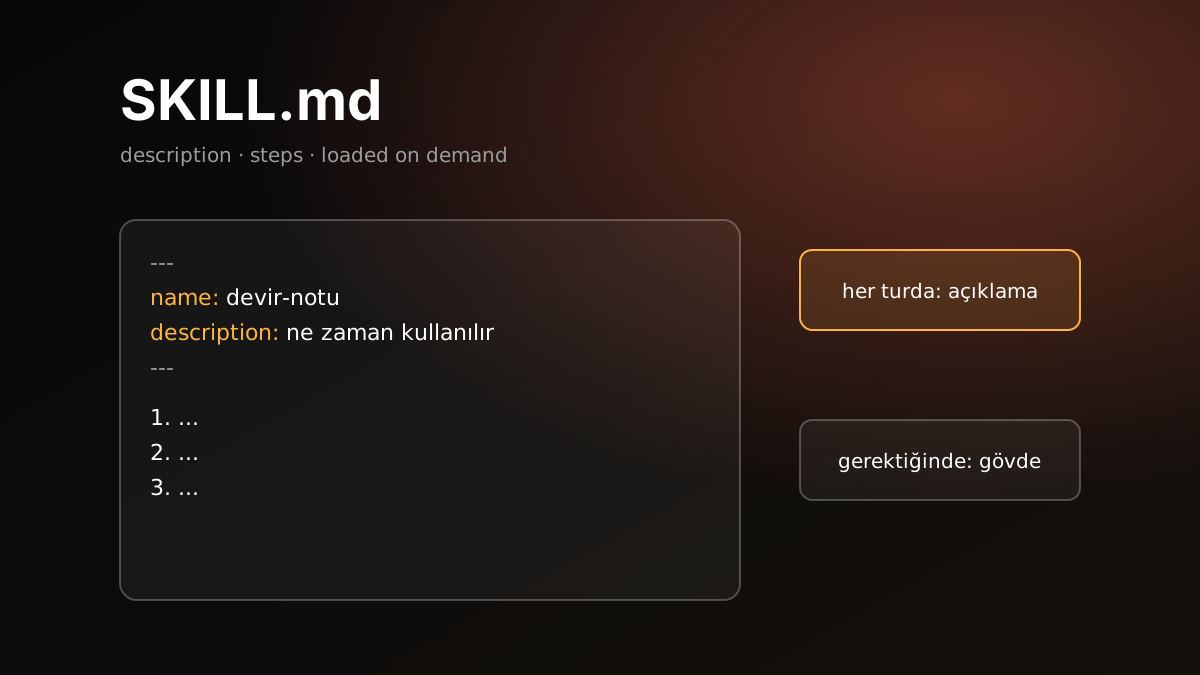
A skill is a folder containing a SKILL.md file. The file starts with two fields, name and description, followed by the instructions Claude will follow.
Where it lives decides its scope:
| Location | Scope |
|---|---|
~/.claude/skills/<name>/SKILL.md | Every project on the machine |
.claude/skills/<name>/SKILL.md | That project only, can be shared with the repository |
| A plugin | Ships with the plugin |
The important part: only the description sits in Claude’s context on every turn. The body is loaded only when the skill is invoked. A ten-line description takes space all the time, a two-page procedure only when it is needed.
A skill is triggered in two ways. You can call it directly by typing /name. Or Claude sees that your request matches the description and invokes it itself.
Skill, CLAUDE.md or hook
The three are for different jobs:
| Tool | When |
|---|---|
| CLAUDE.md | Rules that apply in every session. Keep it short, the whole file loads every session. |
| Skill | Procedures followed in specific situations. Can be long, loads only when needed. |
| Hook | Things that must run on an event, for example a formatter after every file edit. |
A practical test: a sentence that starts with “always” goes into CLAUDE.md. A paragraph that starts with “when this happens, do these things” becomes a skill. If you are saying “this must happen, even if Claude forgets”, it is a hook. Claude can forget an instruction, it cannot forget a hook.
Anatomy of a skill
This is the skill I use to have Claude write a short handoff note before closing a long session and starting a new one:
---
name: handoff-note
description: Writes a short handoff note before closing a long session and starting a new one. Use for "write a handoff note", "let's start a new session", after a PR is opened, a ticket is closed or a deploy finishes.
---

# Handoff note

Goal: the next session can continue without carrying the old session's context.

1. Write `YYYY-MM-DD-<short-topic>.md` to `.claude/handoff/` at the project root.
2. At most 25 lines, with these headings: Goal, Status, Done, Open items, Watch out, Related files.
3. No code, logs, query output or secrets. Only paths and ids.
4. Give the user the single line to type in the new session.
That is all. Short, numbered, with a defined output.
Writing a good description
The description is the trigger. Claude decides which skill to invoke by reading it. A good description has three things:
- What it does. One sentence.
- The words that call it. The phrases you actually use, in your own language. I write to Claude in Turkish, so my original skill’s description contains the Turkish phrases I type.
- The moment to use it. Something like “after a PR is opened”, so Claude can suggest it without being asked.
What to avoid is vagueness. A broad description like “for database work” means a skill that fires at the wrong moments. Concrete verbs such as “update, delete or roll back records” work better.
Writing the body
My rules for the body:
- Numbered steps. If order matters, write the order.
- The shape of the output. Where, under what name, how many lines, which headings.
- What not to do. “No secrets”, “do not run without approval”. These are the most often forgotten and the most expensive.
- Keep it short. If you need a long reference, put it in a separate file and point to it by name from the skill. Claude reads that too only when needed.
A second example is the protocol I use for data fixes. Its body is five steps:
- Count the affected rows first and show a few examples, and do not continue without approval.
- Write the update inside a transaction. Put the old value in the WHERE clause too, so the query touches nothing if the record changed in the meantime.
- Prepare the rollback query as well.
- Make clear who runs the write query.
- After it runs, repeat the first query and compare.
Instead of explaining this every time, I now just say “fix this record” and the skill remembers the rest.
Testing and upkeep
- Call it and watch. Invoke a new skill with
/namefirst, then check whether a natural sentence triggers it. If it does not, add that sentence to the description. - One skill, one job. Do not put two procedures in one skill. The description blurs and it fires at the wrong time.
- Delete what you do not use. Every skill’s description is in context on every turn. Ten unused skills are tokens wasted on every turn. Clean up plugins that do the same job too.
- Share through the repository. Project skills under
.claude/skills/travel with the repository to the team. Personal ones stay in your user folder.
Takeaway
A skill is how you teach Claude something once instead of explaining it every time. If a rule always applies, it goes into CLAUDE.md. If a procedure is needed in certain situations, it becomes a skill. If something must happen, it is a hook. Write the description in your own words, keep the body short and numbered, and delete what you do not use.