Push-to-deploy on SSH-less Windows hosting
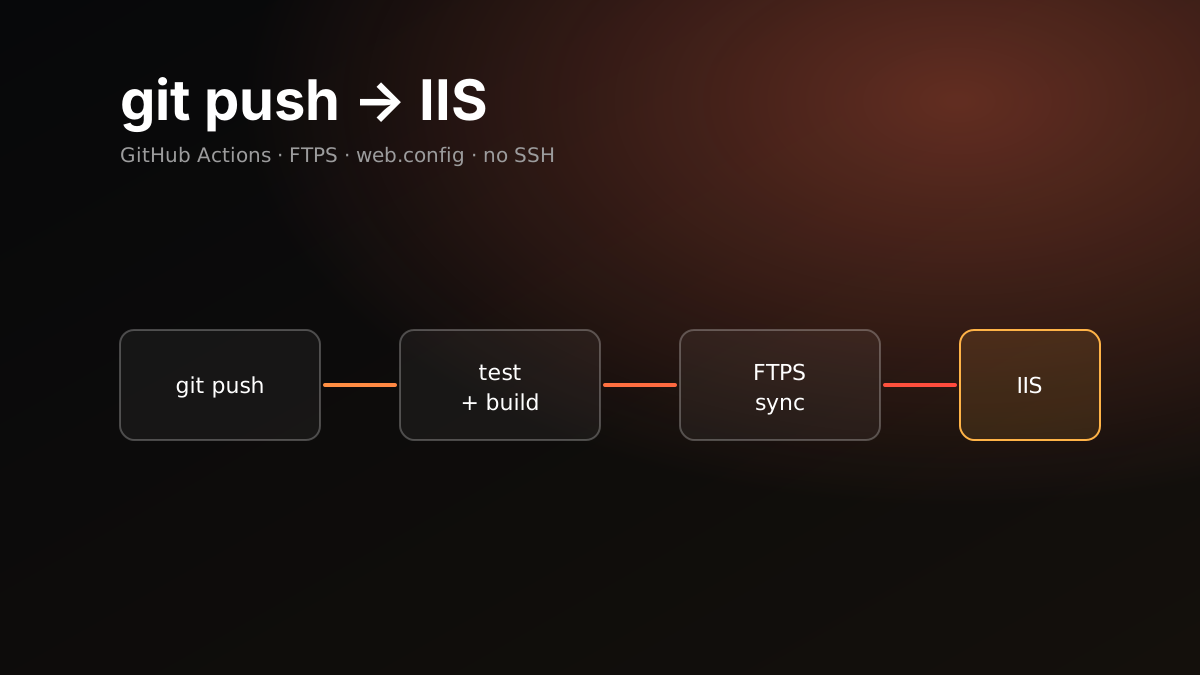
This site lives on shared Windows hosting: a Plesk panel with IIS behind it. The only access I have is FTP and Web Deploy. No SSH, no Git integration in the panel. What I wanted was simple anyway: push to main and the site updates itself.
I built it with GitHub Actions and FTPS, without installing anything on the server. Below is the setup and the traps that caught me.
Why FTPS
The options were:
| Route | Problem |
|---|---|
| rsync over SSH | No SSH |
| The panel’s Git integration | Not on this plan, and the build would have to run on the server |
| Web Deploy | Works, but wants a Windows-centric toolchain |
| FTPS sync | Available on every plan, nothing to install server-side |
The build runs on GitHub’s Linux runner and only the output folder goes to the server. I use SamKirkland/FTP-Deploy-Action. It keeps a state file on the server and uploads only what changed on each deploy. Files deleted locally are deleted on the server too.
Setup
1. A separate FTP account. I do not use the panel’s main user. I created a dedicated FTP account for deploys, with a long random password that lives only in GitHub.
2. Secrets. The repository has three secrets: FTP_HOST, FTP_USERNAME, FTP_PASSWORD.
3. The workflow. There are two jobs. test runs on every push and PR. deploy runs only on a push to main, and only if the tests pass.
on:
  push:
    branches: [main]
  pull_request:
    branches: [main]
  workflow_dispatch:

permissions:
  contents: read

concurrency:
  group: deploy-production
  cancel-in-progress: false

jobs:
  test:
    runs-on: ubuntu-latest
    steps:
      - uses: actions/checkout@v4
      - uses: actions/setup-node@v4
        with: { node-version: 22, cache: npm }
      - run: npm ci
      - run: npm run build
      - run: npm test

  deploy:
    needs: test
    if: github.event_name != 'pull_request'
    runs-on: ubuntu-latest
    steps:
      - uses: actions/checkout@v4
      - uses: actions/setup-node@v4
        with: { node-version: 22, cache: npm }
      - run: npm ci
      - run: npm run build
      - uses: SamKirkland/FTP-Deploy-Action@v4.3.5
        with:
          server: ${{ secrets.FTP_HOST }}
          username: ${{ secrets.FTP_USERNAME }}
          password: ${{ secrets.FTP_PASSWORD }}
          protocol: ftps
          local-dir: dist/
          server-dir: httpdocs/
          state-name: .ftp-deploy-sync-state.json
Two details matter. concurrency with cancel-in-progress: false prevents a half-finished FTP sync. permissions: contents: read keeps the workflow token read-only.
4. web.config. This file is how you control IIS from the repository. It sits at the root of the build output and is uploaded with the site.
<configuration>
  <system.webServer>
    <rewrite>
      <rules>
        <rule name="https" stopProcessing="true">
          <match url="(.*)" />
          <conditions><add input="{HTTPS}" pattern="off" ignoreCase="true" /></conditions>
          <action type="Redirect" url="https://example.com/{R:1}" redirectType="Permanent" />
        </rule>
      </rules>
    </rewrite>
    <staticContent>
      <remove fileExtension=".json" />
      <mimeMap fileExtension=".json" mimeType="application/json" />
      <remove fileExtension=".woff2" />
      <mimeMap fileExtension=".woff2" mimeType="font/woff2" />
      <clientCache cacheControlMode="DisableCache" />
    </staticContent>
    <security>
      <requestFiltering>
        <hiddenSegments>
          <add segment=".ftp-deploy-sync-state.json" />
        </hiddenSegments>
      </requestFiltering>
    </security>
  </system.webServer>
  <location path="assets">
    <system.webServer>
      <staticContent>
        <clientCache cacheControlMode="UseMaxAge" cacheControlMaxAge="365.00:00:00" cacheControlCustom="immutable" />
      </staticContent>
    </system.webServer>
  </location>
</configuration>
The traps that caught me
The FTP account’s home folder. Additional FTP accounts are jailed to their home folder. If the account’s root is httpdocs, then server-dir: httpdocs/ in the workflow actually means httpdocs/httpdocs/. The deploy goes green and the site does not change. Either give the account the parent folder as its root, or set server-dir to ./. Pick the two together.
The first deploy does not delete old files. The sync compares against the state file on the server. On the first run there is no state file, so it does not know about the old files and does not remove them. Cleanup starts from the second run. Look at the folder by hand once after the first deploy.
The state file is published to the web. .ftp-deploy-sync-state.json is written to the site root, and IIS does not hide dotfiles. The file lists every file on the site. Return a 404 for it with hiddenSegments.
Missing MIME types. IIS may not serve .json or .woff2 by default. The page loads but the language file or the font does not. Declare them under staticContent, with a remove first so it does not fail if the extension is already defined.
A single cache setting. I started with a 24-hour clientCache for the whole site. That included the HTML, so a returning visitor could see a day-old page after a deploy. The right split: no cache for HTML, one year and immutable for the assets folder, whose files are hashed or never change.
The runner could not be acquired. One deploy failed with “job was not started because it repeatedly failed to be acquired”. That is a GitHub-side problem, not your code. gh run rerun --failed was enough.
.NET 8 the same way
If the same hosting has the ASP.NET Core Hosting Bundle installed, the same mechanism deploys a .NET app too. I tried it with a minimal API on a subdomain:
- uses: actions/setup-dotnet@v4
  with: { dotnet-version: "8.0.x" }
- run: dotnet publish MyApp.csproj -c Release -r win-x64 --self-contained false -o publish
- uses: SamKirkland/FTP-Deploy-Action@v4.3.5
  with:
    # ... same secrets
    local-dir: publish/
    server-dir: app.example.com/
Publishing for win-x64 on a Linux runner works fine, and dotnet publish generates the web.config IIS needs. The app came up on the first try. One note: when updating a running app, IIS can lock the DLLs. The classic fix is to drop an app_offline.htm into the root before uploading and remove it afterwards.
Verifying
A green deploy does not prove the files landed in the right place. After every significant change I check with a few curl calls:
curl -sI http://example.com/ | head -3
curl -sI https://example.com/assets/fonts/inter.woff2 | grep -iE "content-type|cache-control"
curl -sI https://example.com/.ftp-deploy-sync-state.json | head -1
The first should return a 301 to https. The second should show the right MIME type and the long cache. The third should return 404.
Takeaway
Shared hosting without SSH is not a blocker for automatic deploys. Build in CI, sync only the output over FTPS, and control server behaviour with a web.config in the repository. What remains is checking by hand once, the first time.