Saving tokens in Claude Code without losing quality
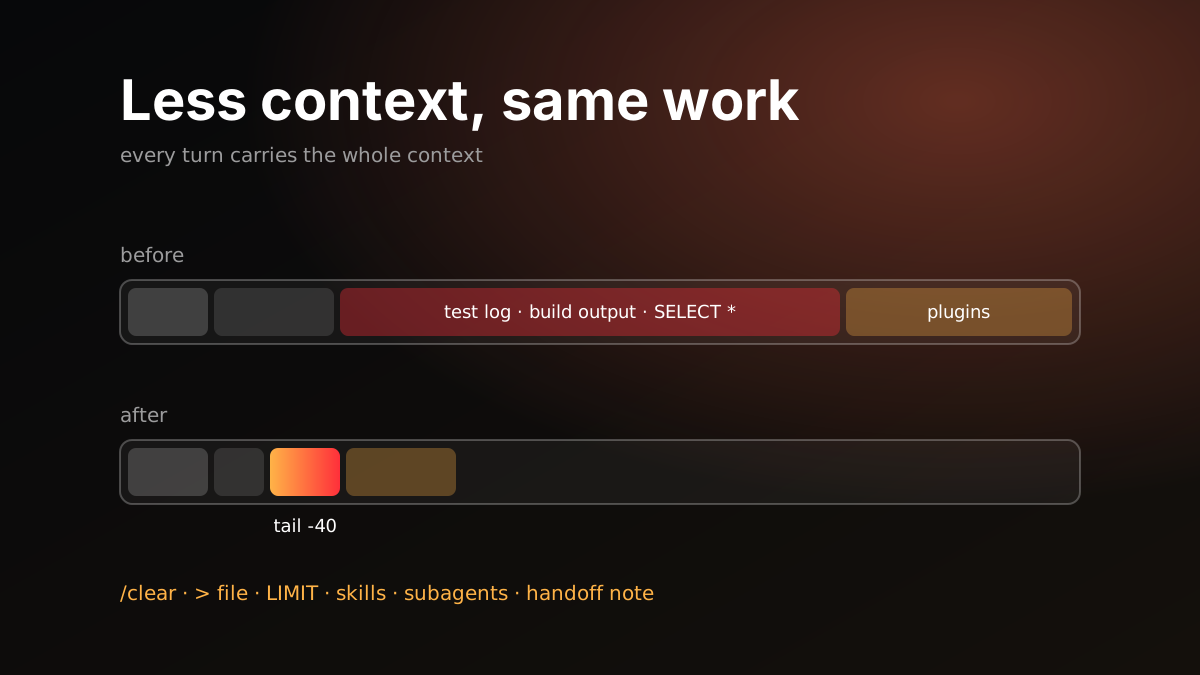
After a few weeks of heavy Claude Code use, I started hitting limits more often. The first instinct is to use it less. But the real problem wasn’t how much I used it, it was where the tokens went. Most of them were spent on things that added nothing to the work.
This post collects the settings that worked for me, and the places where people usually burn tokens without noticing. The goal isn’t to get less work done, it’s to get the same work done with less context.
First, a fact: every turn carries the whole context
The model has no memory. Every message resends the entire conversation so far: system instructions, tool definitions, CLAUDE.md, the files that were read and the command output. Caching lowers the cost, but doesn’t remove it.
The consequence is simple: everything that enters the context is paid for again on every turn until the session ends. If you needed 50 lines of a log and had 5,000 read, you carry those 5,000 lines in every message that follows.
To see where it goes, /context shows a breakdown of the context and /cost shows the session’s spend. Worth a look before changing anything.
Where tokens go unnoticed
Unrelated work in the same session
Look at a bug in the morning, switch to a new feature in the same session at noon, and every trace of the bug rides along on every turn of the new work. The model may also draw wrong conclusions from the old context.
What to do: When the task changes, start over with /clear or a new session. For ongoing work, the handoff note in the next section is enough.
Huge command output
This is the biggest leak. Typical examples:
- Verbose output of the whole test suite
npm installor build logs- A
SELECT *with noLIMIT - A log search with no size limit
- Reading an entire large file
What to do: Write big output to a file and read only what you need.
npm test > /tmp/test.log 2>&1; tail -40 /tmp/test.log
grep -n "FAIL" /tmp/test.log | head -20
In a database, a COUNT(*) or grouped summary query first, then a sample with LIMIT. For log searches, a small result size and only the fields you need. For large files, the relevant line range. Write these as short rules in CLAUDE.md and the model follows them on its own.
A bloated CLAUDE.md
CLAUDE.md is loaded at the start of every session. Every procedure added to it is paid for in sessions that never use it. Over time, “needed this once” notes can push it to hundreds of lines.
What to do: Keep only the rules that apply to every session in CLAUDE.md. Move “in this situation, follow these steps” procedures into skills. Only a skill’s short description stays in the context; its content loads when needed.
Unused and duplicate plugins
Every MCP server and plugin adds something to the context: tool definitions, instructions, sometimes the output of a hook that runs at the start of every session. I had two copies of two plugins doing the same job, and a documentation server I never used.
What to do: Review your plugin list. Keep one of each duplicate, turn off the ones you don’t use. Enable plugins that only one project needs in that project’s .claude/settings.json instead of the global settings.
The strongest model for everything
Fixing a sentence, renaming a file or implementing a concrete task from a plan doesn’t need the strongest model.
What to do: Make a mid-tier model the default. Save the strongest one for work that needs thinking: planning, hard debugging, the final review. Give subagents a model that fits their job. The same applies to reasoning effort: high effort on a simple task just means a longer answer.
Broad exploration in the main session
Ask “how does authentication work in this project?” and the model may read dozens of files into the main context. They all stay there after you get the answer.
What to do: Hand broad searches to a subagent. It reads the files in its own context and returns only the conclusion. Or, if you already know the file path, just say it.
Vague requests
“Fix this error” makes the model search for where the error is first. “calculateTotal in src/api/orders.ts crashes when the discount is null” skips the search.
What to do: Give the context you have: file, function, error message, expected behavior. One short sentence is cheaper than several turns of exploration.
Pasting huge text into the chat
Pasting a whole stack trace or log file into the chat puts it into the context for good.
What to do: Save it to a file and give the path. The model reads the part it needs.
Verifying with screenshots
Images take a lot of tokens. Taking a screenshot to check whether some text is on a page is an expensive way to do it.
What to do: For text and structure, read the page text or the accessibility tree. Use screenshots when you are actually checking something visual.
Retry loops
When a command fails, the model may retry it again and again with small changes. Each attempt is a turn, and each turn is the whole context.
What to do: After two failed attempts, stop and give direction. The cause is usually somewhere the model can’t see: permissions, environment, a version mismatch.
Oversized multi-agent jobs
Dozens of agents running in parallel look impressive, but each one loads its own context. Having twenty agents do a review that five could do costs four times the tokens.
What to do: Put a size limit on multi-agent jobs. Claude Code has a setting for this; I set the default to “small”.
Frequent background checks
Having a CI job or a deploy checked every minute means carrying the context again on every check.
What to do: Match the interval to how long the job really takes. For a CI run that takes eight minutes, one check beats eight.
For long work: a handoff note
Some work doesn’t fit in one session. When the context fills up, automatic compaction kicks in, but it decides what matters.
Instead, at milestones I have a short handoff note written: what was done, which decisions were made, what’s next, which files matter. Then I open a new session and have it read only that note. The new session starts with a one-page summary instead of hundreds of turns of history.
Turning this into a skill reduces it to a single command. The note goes to a fixed folder in the repo, so the next session knows where to look.
Short checklist
- New task:
/clearor a new session. - Big output to a file, only the needed part into the context.
- Queries: summary first, then
LIMIT. Log searches: a size limit. CLAUDE.mdshort, procedures in skills.- Unused and duplicate plugins off. Project-specific ones in project settings.
- Mid-tier model by default. The strong model for planning and review.
- Broad exploration in a subagent.
- File and function names in the request.
- No screenshots when text will do.
- Step in after two failed attempts.
- A size limit on multi-agent jobs.
- Handoff note and a clean session for long work.
None of this reduces the work the model does. It only reduces the load it carries on every turn. I hit limits noticeably less often, and I haven’t seen a difference in the quality of the output.